
Payments post into the software your practice already runs.
No manual entry. No double posting. No end-of-day reconciliation. An estimated 2 hours a week comes back on a smaller day. That is an estimate, not a measured result.
Connected to your PMS
Seven systems. One result.
| Software | What changes at the front desk |
|---|---|
| Dentrix | Payments post to the patient ledger in real time. No manual entry, no waiting until end of day. See Dentrix integrated payments. |
| Eaglesoft | Real-time posting with automatic patient and insurance assignment. No duplicate entry. |
| Open Dental | Direct integration with the Open Dental payment module. Automated posting with full transparency. |
| DSN | Payment data syncs to DSN without manual intervention. Patient records stay current. |
| PracticeWorks | Automated posting into PracticeWorks. Your accounting stays clean and your team gets time back. |
| Cloud 9 (Planet DDS) | Payments post to the patient ledger in Cloud 9 with no manual entry. Our team confirms which payment workflows your setup supports. |
| Denticon (Planet DDS) | Payments post to the patient ledger in Denticon with no manual entry. Our team confirms which payment workflows your setup supports. |
How Summit Health Pay works
The patient pays. The ledger updates.
01
Patient pays
The card is processed through Summit's gateway at your front desk.
02
Authorized
Summit Health Pay validates the transaction in seconds.
03
Posted
The payment lands on the correct patient ledger with no manual entry.
04
Done
Recorded once and correctly. No end-of-day reconciliation.
Cloud 9 and Denticon
Does Summit Health Pay work with Cloud 9 and Denticon?
Yes. Summit Payments connects Summit Health Pay to Cloud 9 and Denticon, the practice management systems from Planet DDS, so card payments post to the patient ledger without manual entry. Which payment workflows are available depends on your setup, so our team confirms yours before go-live.
Dentrix
Does Summit work with Dentrix?
Yes. Summit Payments connects Summit Health Pay to Dentrix so card payments post to the patient ledger without manual entry. Which payment workflows are available depends on your setup, so our team confirms yours before go-live.
Receipts
Do Summit receipts have to be printed?
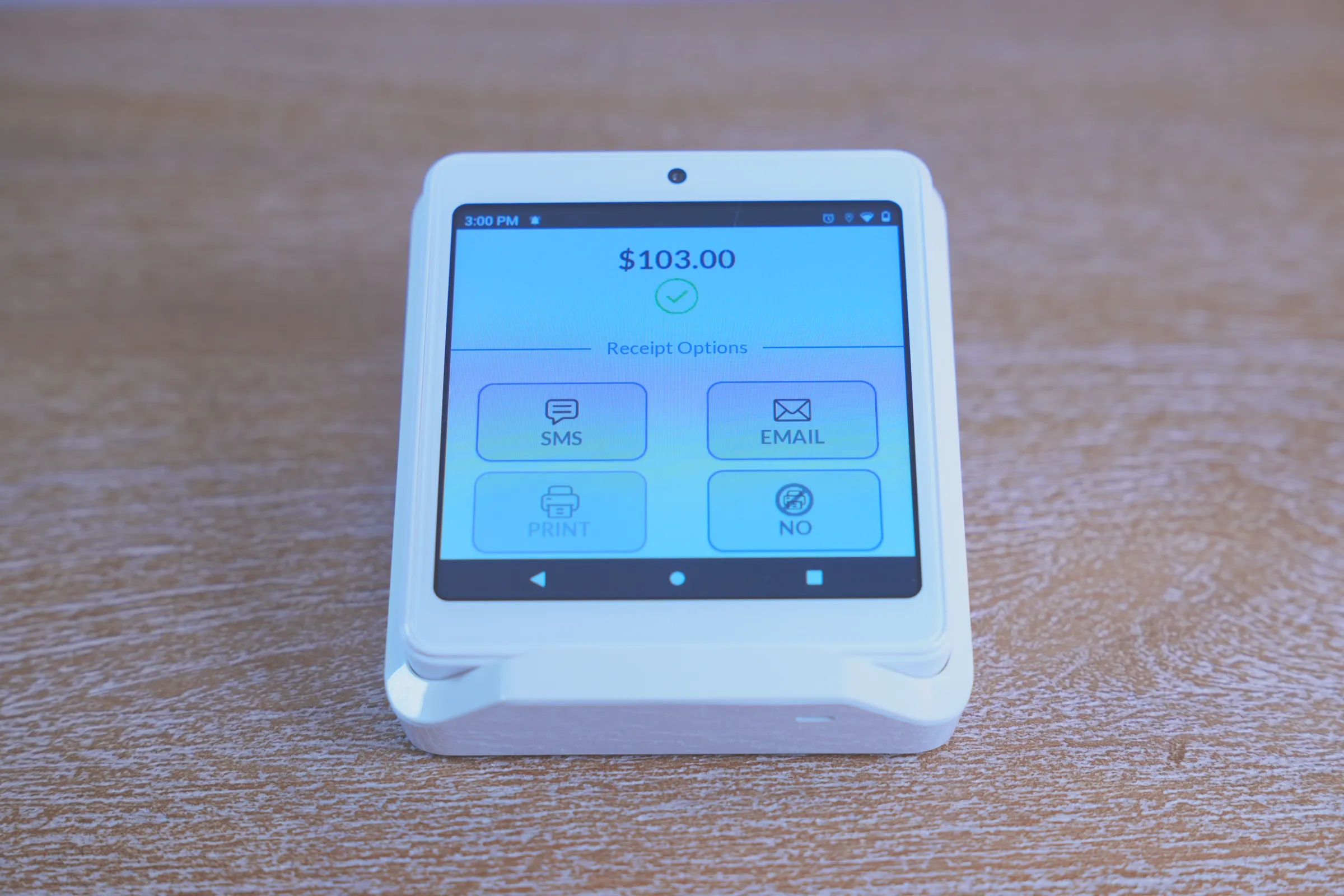
No. Summit Health Pay and Summit Cloud POS send receipts by text or email, so there's no printing at the front desk.
The patient picks on the terminal: text, email, print, or no receipt.
Setup
Live in 7 to 10 business days.
We handle the connection between your PMS and Summit Health Pay. Your practice stays open while we set it up. Setup is remote nationwide, with in-person setup where available.
Compliance handled
We manage compliance and data protection requirements so your team doesn't have to.
Training for your PMS
Your team is trained on your software and your workflow. No generic walkthroughs.
A phone call away
Questions after go-live go to a dedicated support team.
Reviewed by Brendon Degner, founder. Last reviewed .
See it post into your software.
Bring a statement. We will show the credit card fees and how Summit Health Pay posts the payment.
Or call (844) 701-2738.